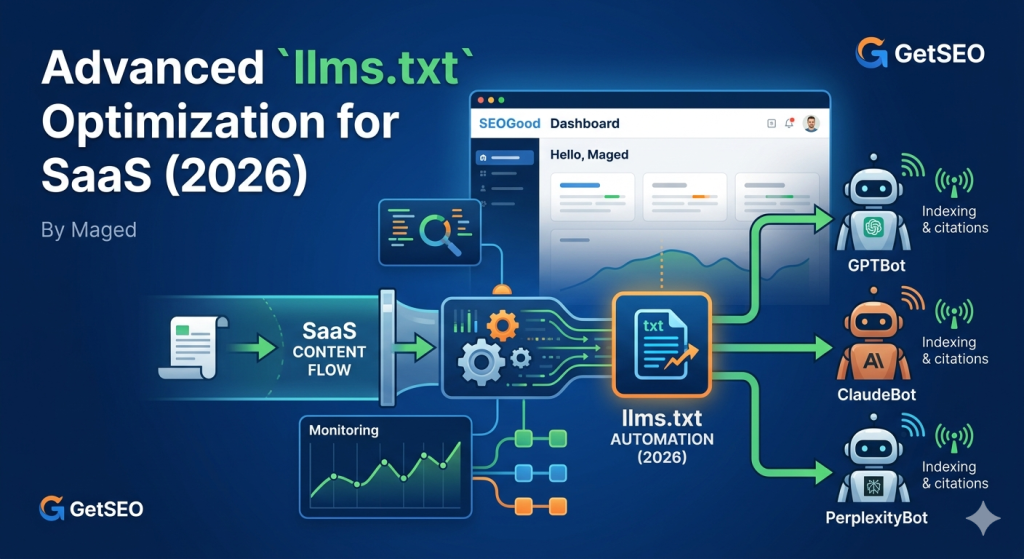
Most SaaS teams treat llms.txt as a one-time setup — they create the file, validate it, and move on. That approach works for a static brochure site. It fails completely for a SaaS platform publishing product updates, use-case guides, and technical documentation on a weekly or monthly cycle. Advanced llms.txt optimization for SaaS is not about the file itself — it is about building the infrastructure that keeps the file synchronized with your content strategy at all times. The moment your llms.txt falls out of sync with what you are actually publishing, AI crawlers like GPTBot, ClaudeBot, and PerplexityBot start missing your best content. Those misses compound into citation gaps that grow quietly until you are wondering why your GEO visibility has stalled.
Why Basic llms.txt Fails at SaaS Scale
A static llms.txt file misrepresents your site’s current topical authority to every AI crawler that reads it. At SaaS scale, that mismatch is not a minor inconvenience — it is an ongoing tax on your citation potential.
Here is the failure mode we see repeatedly: a team sets up llms.txt correctly at launch, lists their core product pages and a few guide categories, then publishes twenty new technical articles over the next quarter. None of those articles appear in llms.txt. PerplexityBot reads the file, builds its topical map of the site from the outdated index, and prioritizes the original pages for citation. The new content — often the most authoritative and well-researched material on the site — gets discovered only through general crawl activity, with no prioritization signal attached.
This is the difference between basic and advanced llms.txt optimization. Basic optimization gets the file structure right. Advanced optimization ensures the file always reflects the site’s current content hierarchy — automatically, on every meaningful publishing event.
The old thinking was: configure it once, review it quarterly. The new reality is: llms.txt is a living index that must evolve in step with your content strategy, not lag behind it by weeks or months.
For teams starting from scratch or reviewing their current file structure, the foundation is covered in our guide on how to create an llms.txt file for GEO — including section structure, category naming strategy, and basic validation.
💡 Pro-Tip: Run a quick diff between your llms.txt URL list and your last 90 days of published content. Any published page not reflected in llms.txt is an invisible citation opportunity. The size of that gap tells you exactly how much automation you need.
Monitoring AI Crawler Activity on Your SaaS Site
You cannot optimize what you cannot measure — and most SaaS teams have no visibility into how often GPTBot, ClaudeBot, and PerplexityBot are actually crawling their sites.
The most direct method is server log analysis. Filter your access logs for the following user-agent strings: GPTBot for OpenAI’s crawler, ClaudeBot for Anthropic’s crawler, and PerplexityBot for Perplexity’s citation indexer. For each bot, you want to know three things: which pages it is crawling, how frequently, and whether any of your llms.txt priority pages are being skipped.
Skipped priority pages are the most actionable finding. They usually indicate one of two problems: either the page is listed in llms.txt but blocked in robots.txt, or the page URL in llms.txt does not match the actual URL being served. Both are fixable in under an hour once identified. For a complete walkthrough of these error types, see our troubleshooting guide on common llms.txt mistakes and fixes.
Cloudflare’s bot analytics dashboard offers a cleaner alternative to raw log parsing. If your SaaS site runs behind Cloudflare — which most do, given the performance and security benefits — you can create custom traffic segments for each AI crawler user-agent. This gives you per-bot crawl frequency charts, page-level hit data, and trend lines over time without writing a single log query.
The goal of monitoring is not just to confirm that bots are visiting. It is to establish a baseline that makes anomalies visible. If PerplexityBot suddenly drops its crawl frequency on your documentation section after you restructured those URLs, monitoring catches that within days rather than months. Without it, the citation drop shows up in your GEO metrics dashboard long after the window to fix it has passed.
According to BrightEdge’s 2025 AI search research, sites with active AI crawler monitoring reported catching configuration errors an average of 6 weeks faster than teams relying solely on citation metric changes as their signal. That 6-week gap represents a significant window of missed citations on a competitive topic.
Automation Pipelines: GitHub Actions and Cloudflare Workers
The goal of llms.txt automation is zero lag between publishing new authority content and AI crawlers discovering it. Two implementation paths handle this reliably at SaaS scale: GitHub Actions for repository-based deployments, and Cloudflare Workers for edge-generated files.
With GitHub Actions, the pipeline runs on every merge to your main branch. A script pulls your current sitemap, filters URLs by content type and publish date — prioritizing technical guides, product documentation, and research content over generic blog posts — and writes a freshly generated llms.txt to the repository root. The file is then deployed as part of your standard release process. Because it lives in version control, every change is traceable and reversible. You can diff any two versions to see exactly which pages were added or removed between deploys.
Cloudflare Workers offer a slightly different approach. Instead of generating llms.txt as a static file on deploy, a Worker generates it dynamically on request — pulling from your content API or sitemap in real time. This suits SaaS platforms where content is managed through a headless CMS and deployments do not always correspond to content updates. The trade-off is slightly higher latency on the first crawl request after a Worker update, but for AI crawlers that visit every few weeks, this is negligible.
Cloudflare itself adopted the llms.txt standard as part of its AI Gateway infrastructure — a strong signal that edge-level integration is becoming the expected implementation pattern for production SaaS sites. The Answer.AI team, which originally proposed the llms.txt standard, has documented reference implementations for both static and dynamic generation approaches.
💡 Pro-Tip: Version-control your llms.txt file even if you generate it dynamically. Store a snapshot in your repository on each deploy alongside a changelog entry. When citation patterns shift, you will be able to correlate changes in the file with changes in AI crawler behavior — without guessing what changed and when.
llms.txt Update Triggers and Cadence at Scale
At SaaS scale, llms.txt updates should be triggered automatically by content events — not managed on a manual calendar. Manual update cycles create citation gaps that compound directly with your publishing frequency.
There are four valid trigger conditions for a llms.txt regeneration. First, a new content cluster launch — any time you publish a new thematic group of pages targeting a distinct topic area. Second, deprecated product page removal — when pages are taken down or redirected, their llms.txt entries must be removed simultaneously, or AI crawlers waste crawl budget chasing dead URLs. Third, the addition of new use-case sections — product expansions, new integration guides, or newly targeted customer verticals all represent shifts in topical authority that the file must reflect. Fourth, quarterly content audits — a scheduled full review that catches any drift between the file and the actual site structure.
The math here is simple but easy to underestimate. A SaaS team publishing two new guides per week generates roughly 100 new pieces of content per year. If llms.txt is updated manually four times per year, the average new page spends 6 weeks unlisted. Across 100 pages, that is 600 page-weeks of citation potential lost to a process problem, not a content quality problem.
Automation eliminates this entirely. When the pipeline runs on deploy, every new page is evaluated against your priority criteria and included in llms.txt before the next AI crawler visit. The file stays current without any manual intervention between quarterly audits — which then become reviews of strategy and category structure, not catch-up exercises.
For teams managing GEO metrics, connecting llms.txt update events to your GEO metrics dashboard creates a clear cause-and-effect record. When citation rates improve after a file update, you have evidence. When they do not, you have a starting point for investigation.
Scaling llms.txt for Large SaaS Architectures
A single flat llms.txt file breaks down when your site spans multiple product lines, regional subdomains, or thousands of documentation pages. Large SaaS architectures require a multi-section approach — and the structure of those sections directly affects how AI systems classify your site’s topical authority.
The standard approach for complex sites is to organize llms.txt into named sections that mirror your site’s content hierarchy. Each product line or use-case vertical gets its own section, with a precise category name that reflects the specialized knowledge that section represents. A developer tools product might have sections titled “API Reference Documentation,” “Integration Guides,” and “Security and Compliance Resources.” A marketing platform might use “Campaign Strategy Guides,” “Analytics Methodology,” and “Platform Comparison Research.”
These labels are not cosmetic. Perplexity’s crawler parses category headers to build a topical map of the site. The terminology you use in section headers influences how Perplexity classifies your domain in its knowledge index — which topics you are seen as authoritative on, and which citation slots you are eligible to fill. Generic labels like “Resources” or “Content” provide no signal. Expert-level terminology that matches how specialists describe your field provides a clear, actionable signal.
For sites with subdomains — a common pattern for SaaS platforms with separate docs., blog., and app. subdomains — each subdomain should have its own llms.txt file at its respective root. Do not attempt to cover all subdomains from a single file on the apex domain. AI crawlers resolve llms.txt per domain root, and a single file cannot represent the distinct topical authority of a documentation subdomain versus a marketing blog subdomain.
Validate every version of the file using llmstxt.org after each automated regeneration. Structural errors in a programmatically generated file are easy to introduce and easy to miss without a dedicated validation step in your pipeline. Add the validator check as the final stage of your GitHub Actions workflow or Cloudflare Worker before the file goes live.
The Semrush technical SEO blog covers evolving best practices for multi-domain and subdomain crawl configurations that apply directly to llms.txt scaling decisions — useful reference material as AI crawler behavior continues to develop through 2026.
💡 Pro-Tip: Add a
Last-Updatedcomment line at the top of your llms.txt file on every automated regeneration. It costs nothing, but gives you an instant sanity check when auditing crawler behavior — you can confirm at a glance whether the file the bot read was the current version or a cached stale copy.
Frequently Asked Questions
How often should a SaaS site update its llms.txt file?
At minimum, update llms.txt when you launch a new content cluster, remove deprecated product pages, or complete a quarterly content audit. High-frequency publishers should automate updates on every deploy to eliminate lag between publishing and AI crawler discovery.
Can Cloudflare Workers automate llms.txt regeneration?
Yes. Cloudflare Workers can be triggered on deploy to regenerate llms.txt dynamically. The Worker pulls your current sitemap, filters priority URLs, and rewrites the file — ensuring zero lag between new content publication and AI crawler visibility .
How do I monitor which AI bots are crawling my SaaS site?
Filter your server logs for GPTBot, ClaudeBot, and PerplexityBot user-agent strings. Cloudflare’s bot analytics dashboard can segment these bots separately, giving you crawl frequency and page-level data without manual log parsing.
What is a citation gap in llms.txt optimization ?
A citation gap occurs when newly published authority content is not reflected in llms.txt, causing AI crawlers to miss it during their indexing cycle. On high-frequency publishing schedules, manual update cycles compound these gaps — automation eliminates them.
How should a large SaaS site structure its llms.txt file?
Use separate named sections per product line or use-case vertical. Each section should use precise, expert-level category names that reflect your topical specialization. Generic labels like Posts or Pages signal nothing to AI systems building their topical index of your site.
Key Takeaways
- Static llms.txt files fail at SaaS scale — a file that does not update with your content strategy misrepresents your site’s topical authority to every AI crawler that reads it.
- Monitor AI crawlers actively — filter server logs or use Cloudflare’s bot analytics to track GPTBot, ClaudeBot, and PerplexityBot crawl patterns and catch configuration errors early.
- Automate with GitHub Actions or Cloudflare Workers — trigger llms.txt regeneration on every deploy to eliminate the lag between publishing and AI crawler discovery.
- Define four update triggers: new content cluster launch, deprecated page removal, new use-case section addition, and quarterly content audits — and automate all four.
- Use multi-section structure for complex sites — organize llms.txt by product line or use-case vertical with precise, expert-level category names that signal topical authority to AI systems.
- Each subdomain needs its own llms.txt file — do not cover multiple subdomains from a single apex-domain file; AI crawlers resolve the file per domain root.
- Version-control and validate on every regeneration — store llms.txt in your repository and run llmstxt.org validation as the final pipeline step before the file goes live.