Compress Video Online Free — Smaller File, Same Quality
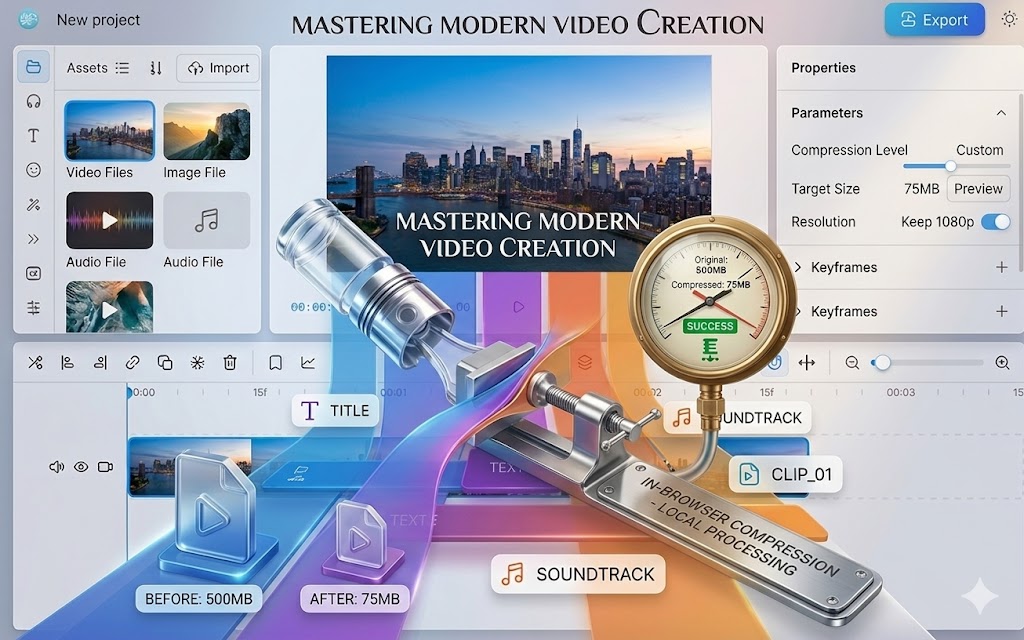
Need to compress a video online without sacrificing quality or uploading your file to a stranger’s server? You’re in the right place. This free video compressor runs entirely in your browser — no sign-up, no watermark, and no waiting for a server to process your file. Reduce your video file size in seconds and keep full control of your footage.
🗜️ Compress My Video Free — No Upload
No sign-up · No watermark · Runs in your browser
Why You Need to Compress Video Online
Video files are large by nature. A 5-minute clip recorded on a modern smartphone can easily hit 500MB or more. That’s a problem when you’re trying to send a video by email, upload it to a platform with a file size limit, or just free up storage space.
The traditional answer is desktop software — but that means downloading, installing, and learning a new tool just to shrink one file. A browser-based video compressor solves the same problem in a fraction of the time.
According to Wikipedia’s overview of data compression, the goal of any compression algorithm is to reduce redundant data — and modern video codecs do this remarkably well without visible quality loss at reasonable compression ratios.
How to Compress Video Online in 3 Steps
- Click the button above to open the free video compressor — no account needed.
- Import your video file — drag and drop your MP4, MOV, or WebM file directly into the editor.
- Choose your compression level — pick your target file size or quality setting, then export. Done.
The entire process runs locally on your device. No upload delay, no server queue, no privacy risk.
Compress Video Online vs. Desktop Software
| Feature | This Tool | Desktop Software |
|---|---|---|
| Installation required | ❌ None | ✅ Yes |
| Video uploaded to server | ❌ Never | ❌ Never |
| Watermark added | ❌ None | ⚠️ Some free versions |
| Works on any device | ✅ Yes (browser) | ❌ Platform-specific |
| Cost | ✅ Free | ⚠️ Often paid |
| Processing speed | ✅ Instant | ✅ Fast |
How Video Compression Works (Without the Jargon)
When you compress a video online, the tool analyzes each frame and looks for data it can reduce without your eyes noticing. Two main techniques make this possible:
- Codec efficiency — modern codecs like H.264 and H.265 are far better at storing the same visual information in fewer bytes than older formats. Switching codec alone can cut file size in half. You can read more about how codecs work on MDN’s guide to video codecs.
- Bitrate reduction — bitrate controls how much data is used per second of video. Lowering it reduces file size; a good compressor does this intelligently so quality loss stays invisible at normal viewing distances.
The result: a smaller file that looks essentially identical to the original at any reasonable screen size.
Frequently Asked Questions About Compressing Video Online
Can I compress an MP4 video online without losing quality?
Yes. At moderate compression levels, the quality difference is invisible to the human eye — especially on standard screens. The tool lets you preview before exporting so you can find the right balance for your use case.
How much can I reduce my video file size?
It depends on your original file and target quality, but reductions of 50–80% are common without noticeable visual degradation. A 200MB file can often compress to 40–80MB with no visible quality loss.
Does compressing a video reduce its resolution?
Not unless you choose to. Compression and resolution are separate settings. You can compress a 1080p video and keep it at 1080p — only the bitrate changes, not the dimensions.
Can I compress a video to send by email?
Yes. Most email services cap attachments at 25MB. Use the compression tool to bring your file under that limit while keeping it watchable.
Is it safe to compress video in the browser?
Yes — and it’s actually safer than server-based tools. Because everything runs locally using WebAssembly (MDN), your video never leaves your device. No data is transmitted to any server.
What formats can I compress?
The tool supports MP4, MOV, WebM, and most common video formats. If it plays in a modern browser, it works here.
Do I need to create an account to compress a video online?
No. Open the tool, import your file, compress, and download. No registration, no email, no payment.
More Free Browser-Based Video Tools
Compression is just one thing you can do here. All tools below are free, private, and require no upload:
- Trim video online free — remove the start or end of any clip
- Cut video online free — split a clip at any point
- Convert video to MP4 — change your video format in seconds
- Edit video without watermark — full editing, no branding
- Video editor with no upload — complete privacy, complete control