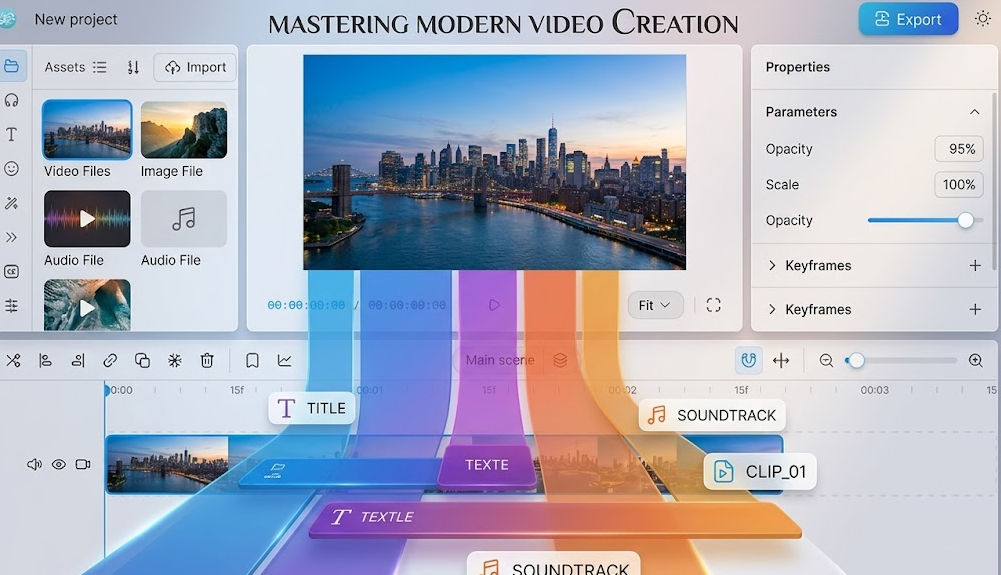
Got a long video and only need a specific part? Maybe you’re pulling a highlight from a recording, removing a dead section from the middle, or splitting a clip into two separate files. Whatever the reason, you shouldn’t have to install software or hand your video over to a third-party server to do it.
This free online video cutter runs entirely in your browser. No upload. No watermark. No account. Just cut.
✂️ Cut My Video Free — No Upload
No sign-up · No watermark · Works in your browser
What Does “Cut Video” Actually Mean?
People use “cut” to mean a few different things, and it’s worth being clear:
- Trimming — removing the beginning or end of a clip (see: trim video online free)
- Cutting / Splitting — slicing a video at a specific point to create two separate files
- Removing a middle section — cutting out a chunk from the middle and joining the remaining parts
This tool handles all three. You pick the point, the tool makes the cut.
According to Wikipedia’s overview of video editing, cutting is one of the most fundamental operations in any editing workflow — and it shouldn’t require a full editing suite to do a simple split.
How to Cut a Video Online in 3 Steps
- Click the button above to open the editor — no account needed.
- Import your video file — drag and drop MP4, MOV, WebM, or most common formats directly into the timeline.
- Place your cut point — scrub the timeline to the exact frame you want, click cut, then export each segment individually.
The whole process takes under a minute for most clips. And since everything runs locally on your device, there’s no waiting for a server to process your file.
This Tool vs. Other Free Video Cutters
| Feature | This Tool | Typical Free Cutters |
|---|---|---|
| Watermark added | ❌ None | ✅ Yes (free tier) |
| Video uploaded to server | ❌ Never | ✅ Always |
| Account required | ❌ No | ✅ Often yes |
| Frame-accurate cuts | ✅ Yes | ⚠️ Sometimes off |
| Export quality | ✅ Original quality | ❌ Often downscaled |
| Processing speed | ✅ Instant (runs locally) | ❌ Waits for server |
Why Running in the Browser Matters
Most online video tools work by uploading your file to their servers, processing it, and sending it back. That approach has three problems:
- Speed — you’re waiting for two transfers (upload + download) plus server processing time
- Privacy — your video passes through someone else’s infrastructure, even if only temporarily
- Reliability — if their server is busy or down, you’re stuck
Browser-based processing using technologies like WebCodecs and WebAssembly (MDN) eliminates all three. Your video stays on your device, processing is immediate, and there’s no dependency on an external server.
Frequently Asked Questions
Can I cut an MP4 video online for free without losing quality?
Yes. Because the tool processes your video locally rather than through a server-side compression pipeline, the output matches your original quality exactly — no re-encoding artifacts.
How do I remove a section from the middle of a video?
Make two cuts — one at the start of the section you want to remove, one at the end. Delete the middle segment, then join the remaining two clips. The editor lets you do all of this in one session.
Can I split a video into multiple parts?
Yes. You can place as many cut points as you need and export each segment separately.
What video formats are supported?
The tool supports MP4, MOV, WebM, and most other common formats. If your file plays in a modern browser, it’ll work here.
Is there a file size limit?
Since processing happens locally, the limit is your device’s available memory rather than a server cap. Most devices handle files up to 2–4GB without issues.
Do I need to download anything?
No. The tool is entirely browser-based. No extensions, no plugins, no installations required.
Can I cut a video on my phone?
Yes. The tool works on mobile browsers — Chrome and Safari on both Android and iPhone.
More Free Video Tools
Need to do more than just cut? Everything below works the same way — free, browser-based, no upload:
- Trim video online free — clean up the start and end of any clip
- Compress video online — shrink file size without sacrificing quality
- Convert video to MP4 — change your video format in seconds
- Edit video without watermark — full editing, zero branding
- Video editor with no upload — complete privacy, complete control