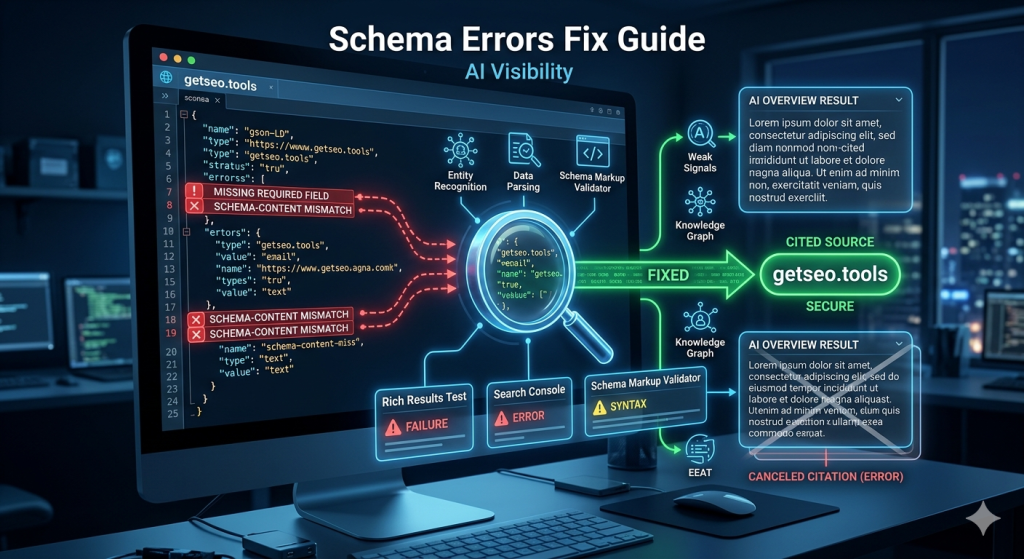
You spent time implementing schema markup. You added FAQPage blocks, HowTo steps, and Article schema across your key pages. But your schema errors AI visibility problem did not go away — in fact, it got worse. That is because broken schema is not neutral. A malformed JSON-LD block does not just fail to help. It introduces noise that AI systems read as a signal of low-quality or manipulative markup. The result is a page that actively competes at a disadvantage — not because the content is weak, but because the structured data meant to support it is undermining it instead. Fixing schema errors is not a housekeeping task. It is a direct GEO performance lever.
Why Schema Errors Hurt More Than Most Teams Realise
Schema errors reduce AI citation probability because they break the structured extraction layer that AI systems depend on.
Most teams treat schema as a nice-to-have. They add it once, never validate it, and assume it is doing its job in the background. That assumption is expensive.
When an AI system like Google’s AI Overview engine encounters a page with schema errors, it faces a choice. It can try to use the broken structured data — accepting the risk of extracting inaccurate or misattributed information. Or it can fall back to unstructured content parsing, treating the page as if it had no schema at all.
In practice, AI systems choose the second option. A page with broken schema gets treated like a page with no schema. All the citation probability gains that valid schema provides disappear — and the effort you spent implementing it goes to waste.
Here is what makes this worse. Schema errors are invisible to casual page review. The page looks fine to a human reader. The content is strong. But underneath, the JSON-LD block has a missing required field, a mismatched answer, or a duplicate @id — and the AI crawler quietly discards the structured data signal on every visit.
For a full picture of which schema types carry the most AI citation weight when they are working correctly, our guide on schema markup for AI Overviews covers the complete priority ranking.
💡 Pro-Tip: Add schema validation to your publishing checklist — not your quarterly audit. Running Google’s Rich Results Test takes two minutes per page. Catching a missing required field before publishing costs nothing. Catching it three months later, after AI crawlers have been discarding your schema on every visit, costs citations you cannot recover.
The Most Common Schema Errors — and What Each One Costs You
Three error types cause the majority of AI visibility losses from schema problems: missing required fields, schema-content mismatches, and duplicate @id values.
Missing required fields are the most straightforward. Every schema type has required fields defined by Schema.org. FAQPage requires an acceptedAnswer inside every Question object. HowTo requires a name and text inside every HowToStep. Article requires headline, author, and datePublished. When any required field is absent, the schema block is invalid. Google’s Rich Results Test flags it as an error. AI systems discard it.
Schema-content mismatches are more damaging. This happens when the answers in your FAQPage JSON-LD do not match the answers visible in your article body. Maybe you updated the article but forgot to update the schema. Maybe the schema was written before the content was finalised. Either way, AI systems cross-reference schema against page content. A mismatch signals inconsistency — and inconsistent markup is treated as unreliable.
Duplicate @id values are the most overlooked error. When two pages on the same site use the same @id for different entities — for example, two different articles both declaring "@id": "https://yourdomain.com/#article" — AI knowledge graphs get conflicting signals about which entity that identifier refers to. The result is reduced entity confidence across both pages, not just one.
Two additional errors worth flagging: using http instead of https in URLs within schema (creates entity mismatch against your canonical HTTPS domain), and placing the JSON-LD block inside the page body rather than the <head> (reduces parsing reliability for some AI crawlers). Neither is catastrophic on its own — but both compound the impact of other errors when present together.
The Validation Workflow: Three Tools, One Process
A reliable schema validation workflow uses three tools in sequence: Google’s Rich Results Test, Google Search Console Enhancement reports, and the Schema Markup Validator at validator.schema.org.
Each tool catches a different layer of errors. Using all three takes less than ten minutes per page — and covers the full range of issues that can reduce AI citation visibility.
Start with Google’s Rich Results Test for individual page checks. Paste the page URL and review which schema types were detected. Any type that appears under “Items detected with errors” needs immediate attention. Pay particular attention to FAQPage and HowTo blocks — these two types have the highest AI Overview citation impact, so errors here cost the most.
Next, check Google Search Console Enhancement reports for a sitewide view. Navigate to the Enhancements section in the left sidebar. Each schema type you have deployed appears as its own report. The report shows total valid items, total with warnings, and total with errors — along with the specific URLs affected. This is how you find schema problems at scale without testing every page individually.
Finally, use the Schema Markup Validator at validator.schema.org for structural validation. This tool checks your JSON-LD against the Schema.org specification directly. It catches property type errors and structural issues that Google’s Rich Results Test sometimes misses — particularly on less common schema types like Organization or BreadcrumbList.
💡 Pro-Tip: When using Google Search Console Enhancement reports, filter by “Error” status first — not “Warning.” Warnings affect rich result display but rarely impact AI citation extraction directly. Errors do. Fix all errors before addressing warnings, and you will see faster GEO recovery from the same amount of effort.
Debugging and Repair: How to Read Error Messages and Fix Them
Schema error messages look technical, but most of them point to one of three simple problems: a missing field, a wrong value type, or a content mismatch.
When Google’s Rich Results Test shows “Missing field ‘acceptedAnswer'”, the fix is straightforward. Open your JSON-LD block, find the Question object flagged, and add the missing acceptedAnswer object with a text field. That is the entire repair.
When the error says “Either ‘acceptedAnswer’ or ‘suggestedAnswer’ should be specified”, it means the Question object exists but is empty. Add the answer content — and make sure the answer text matches what appears in your article body exactly.
Value type errors look like “Invalid value type for field ‘datePublished'”. This usually means the date is formatted incorrectly. The required format is YYYY-MM-DD — for example, 2026-04-28. A date written as “April 28, 2026” or “28/04/2026” will fail validation.
Content mismatch errors do not always appear directly in validation tools. They show up indirectly as lower-than-expected AI citation rates despite technically valid schema. The fix is a manual review: open the article, find each FAQ question, copy the answer text, and paste it directly into the corresponding acceptedAnswer field in the schema. Character-for-character alignment is not necessary — but the meaning and key claims must match precisely.
After every repair, validate again before publishing. One fix can occasionally expose a second error that was masked by the first. A clean second validation confirms the block is fully correct.
For the full list of schema tools that support this validation process — including free and paid options for different site sizes — see our comparison guide on schema tools for AI SEO.
Schema Error Impact: What Each Error Type Does to AI Visibility
| Error Type | What Causes It | AI Visibility Impact | Fix Difficulty |
|---|---|---|---|
| Missing required field | Required property absent from schema block | Schema block fully discarded by AI systems | Easy — add the missing field |
| Schema-content mismatch | Schema answers differ from article body answers | Schema treated as unreliable — citation probability drops | Medium — requires content-schema alignment review |
| Duplicate @id values | Same identifier used on multiple pages | Entity confidence reduced sitewide across affected pages | Medium — requires audit across all pages |
| Wrong date format | datePublished not in YYYY-MM-DD format | Recency signal lost — affects freshness-sensitive queries | Easy — reformat the date value |
| http instead of https in URLs | Non-secure URL in sameAs or @id fields | Entity mismatch against canonical HTTPS domain | Easy — update URL protocol |
| Schema in body instead of head | JSON-LD placed inside article content area | Reduced parsing reliability for some AI crawlers | Easy — move block to page head |
| Partial FAQ list in schema | Schema contains fewer FAQ items than article body | Validation warning — incomplete extraction surface | Easy — add missing FAQ items to schema |
Frequently Asked Questions
What is the most common schema error that hurts AI visibility?
The most common error is a schema-content mismatch — FAQ answers in the JSON-LD block that do not match the answers visible in the article body. AI systems cross-reference schema against page content. A mismatch signals low-quality or manipulative markup and reduces citation probability.
Can a schema error on one page affect the rest of my site?
Yes — indirectly. Sitewide entity schema errors, like inconsistent Organization or Person @id values across pages, lower the overall entity confidence score for your domain. This affects AI citation rates across all pages, not just the ones with the direct error.
How do I know if my schema is being read by AI crawlers?
Use Google’s Rich Results Test to confirm your schema is detected and error-free. Then check Google Search Console Enhancement reports for coverage status. There is no direct tool to confirm Perplexity or Gemini are reading your schema — but valid, error-free schema on a crawlable page is the baseline requirement for both.
Does having schema errors prevent my page from appearing in AI Overviews?
Schema errors do not automatically exclude a page from AI Overviews — but they significantly reduce the probability of inclusion. AI systems prefer structured, verified content. A page with schema errors competes at a disadvantage against pages with clean, validated markup covering the same topic.
What is the fastest way to check schema errors across my whole site?
Use Google Search Console Enhancement reports for a sitewide view — it shows error counts and affected URLs for every schema type. For a deeper audit, Semrush’s Site Audit tool includes a dedicated structured data check that identifies missing fields, invalid values, and duplicate schema conflicts across all crawled pages.
Key Takeaways
- Broken schema is not neutral — AI systems discard malformed JSON-LD blocks entirely, treating the page as if it had no schema at all. The effort you spent implementing it disappears.
- Three errors cause most AI visibility losses: missing required fields, schema-content mismatches, and duplicate @id values. Fix these first before addressing anything else.
- Schema-content mismatches are the most damaging — FAQ answers in your JSON-LD that differ from what appears in your article body signal unreliable markup to AI systems.
- Use three tools in sequence: Google’s Rich Results Test for individual pages, Google Search Console Enhancement reports for sitewide coverage, and validator.schema.org for structural correctness.
- Fix errors before warnings — errors break AI extraction entirely, warnings only affect rich result display. Prioritise errors for faster GEO recovery.
- Validate after every repair — one fix can expose a second error that was masked by the first. A clean second validation is your confirmation before republishing.
- Add schema validation to your publishing checklist — catching errors before a page goes live costs nothing. Catching them months later, after silent citation losses have compounded, costs far more.