You recorded the perfect clip, but there’s this awkward 15 seconds of nothing at the start, and another pause at the end that just doesn’t feel right. You don’t want to install some software or upload your private video to a random server. You just want to trim it — fast, free, and without a watermark.
That’s exactly what this tool does, and it’s a game-changer for anyone who’s ever struggled with video editing.
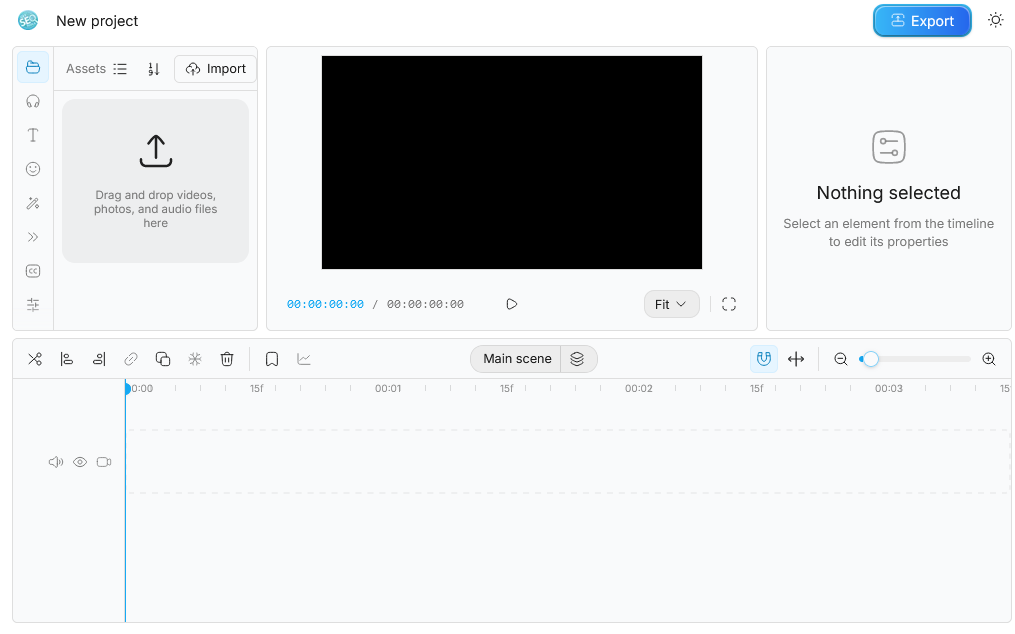
Try it Now
Why Most Free Video Trimmers Fall Short
Let’s face it, most free video trimmers out there are a bit of a letdown. You search for one, find it, upload your video, wait for what feels like an eternity, and then you’re slapped with a watermark. And don’t even get me started on the “free” version only letting you export in 480p. It’s like, what’s the point?
The thing is, these tools were built for a different era. They require you to create an account, push you toward paid plans, and — most importantly — your video passes through their servers. That means your footage, your content, your privacy — all up for grabs.
This tool works differently. Everything runs directly in your browser, which means your video never leaves your device. It’s a breath of fresh air, if you ask me.
How to Trim a Video Online (3 Steps)
- Open the tool above — no sign-up, no login, no email required. Just click and go.
- Import your video — drag and drop your MP4, MOV, or WebM file directly into the editor. It’s that easy.
- Set your start and end point — drag the handles on the timeline, preview the result, and export. Done. The whole process takes under 60 seconds for most clips.
It’s really that simple. No fuss, no muss.
This Tool vs. Other Free Trimmers
| Feature | This Tool | Most Free Trimmers |
|---|---|---|
| Watermark on export | ❌ None | ✅ Yes (unless you pay) |
| Upload to server | ❌ Never | ✅ Always |
| Sign-up required | ❌ No | ✅ Usually yes |
| Export quality | ✅ Original quality | ❌ Often compressed |
| Works on mobile | ✅ Yes | ⚠️ Varies |
| Processing speed | ✅ Instant (local) | ❌ Depends on server |
Frequently Asked Questions
Can I trim an MP4 video online for free?
Yes, you can. This tool supports MP4, MOV, WebM, and most common video formats. Just drag your file into the editor, set your trim points, and export — completely free.
Will there be a watermark on my trimmed video?
No, there won’t be. No watermarks, no logos, no branding added to your video. What you export is exactly what you cut.
Do I need to create an account or sign in?
Not at all. The tool works without registration. Open it, use it, done.
Is my video uploaded to a server?
No, it’s not. This is one of the key things that makes this tool different. All processing happens in your browser using your device’s power. Your video is never sent anywhere.
Can I trim a video without losing quality?
Yes, you can. Because the tool processes the video locally (not through a compressed server pipeline), your output quality matches your input. No re-encoding artifacts, no resolution downscale.
What’s the maximum file size I can trim?
Since the tool runs in your browser, the limit depends on your device’s memory rather than a server cap. Most modern laptops and phones handle files up to 2–4GB without issues.
Does this work on iPhone or Android?
Yes, it does. The tool is browser-based and mobile-friendly. Open it in Chrome or Safari on your phone, and it works the same way.
Other Free Video Tools You Might Need
If trimming is just the start, here are other things you can do — all free, all without uploading:
- Cut video online free — split your clip at any point
- Compress video online — reduce file size without quality loss
- Convert video to MP4 — change formats quickly
- Edit video without watermark — full editing, no branding
- Video editor with no upload — full privacy, full control